Building an AI Customer Support Platform: Architecture, Escalation, and Knowledge Base Design
How I designed a production SaaS support platform with AI-first chat, knowledge base ingestion, ticket escalation, and real-time agent handoff — using Next.js, Node.js, PostgreSQL, Redis, and OpenAI on AWS.
6/12/2026
Why most support bots fail in production
Businesses adopt AI chatbots expecting instant cost savings. What they often get instead:
- Bots that hallucinate answers not in company policy
- No path to a human agent when the AI is wrong
- Knowledge bases that are uploaded once and never updated
- Dashboards with chat volume but no actionable metrics
The gap is not the LLM — it is the system around it: data pipeline, escalation workflow, roles, and ops tooling.
This post walks through how I architected an AI-powered customer support platform that handles real support volume — not a demo widget.
See the full case study: /projects/ai-customer-support
The business problem
Support teams at scale face a predictable pattern:
- 80% of inquiries are repetitive — shipping status, refunds, account access, pricing
- Response time grows linearly with ticket volume unless headcount grows too
- Context is lost when conversations move between channels or agents
- Complex cases still need humans — billing disputes, edge-case bugs, angry customers
The goal was not to replace support staff. It was to automate the repetitive layer while giving agents a clean escalation path with full conversation history.
High-level architecture
The platform follows a modular SaaS layout:
Customer
Web chat
Frontend
Next.js
API
Node.js
Data
PostgreSQL + Redis
AI
OpenAI API
| Layer | Technology | Responsibility |
|---|---|---|
| Frontend | Next.js | Customer chat, agent dashboard, admin panels |
| API | Node.js | Auth, conversations, tickets, AI orchestration |
| Primary DB | PostgreSQL | Users, roles, tickets, knowledge docs, conversation logs |
| Cache / sessions | Redis | Active session state, rate limits, pub/sub for real-time |
| AI | OpenAI API | Chat completions grounded on knowledge base context |
| Infrastructure | Docker + AWS | Containerized deploy, scalable hosting |
This separation keeps the AI layer replaceable — swap models or providers without rewriting the product core.
Core product modules
Based on what shipped in production:
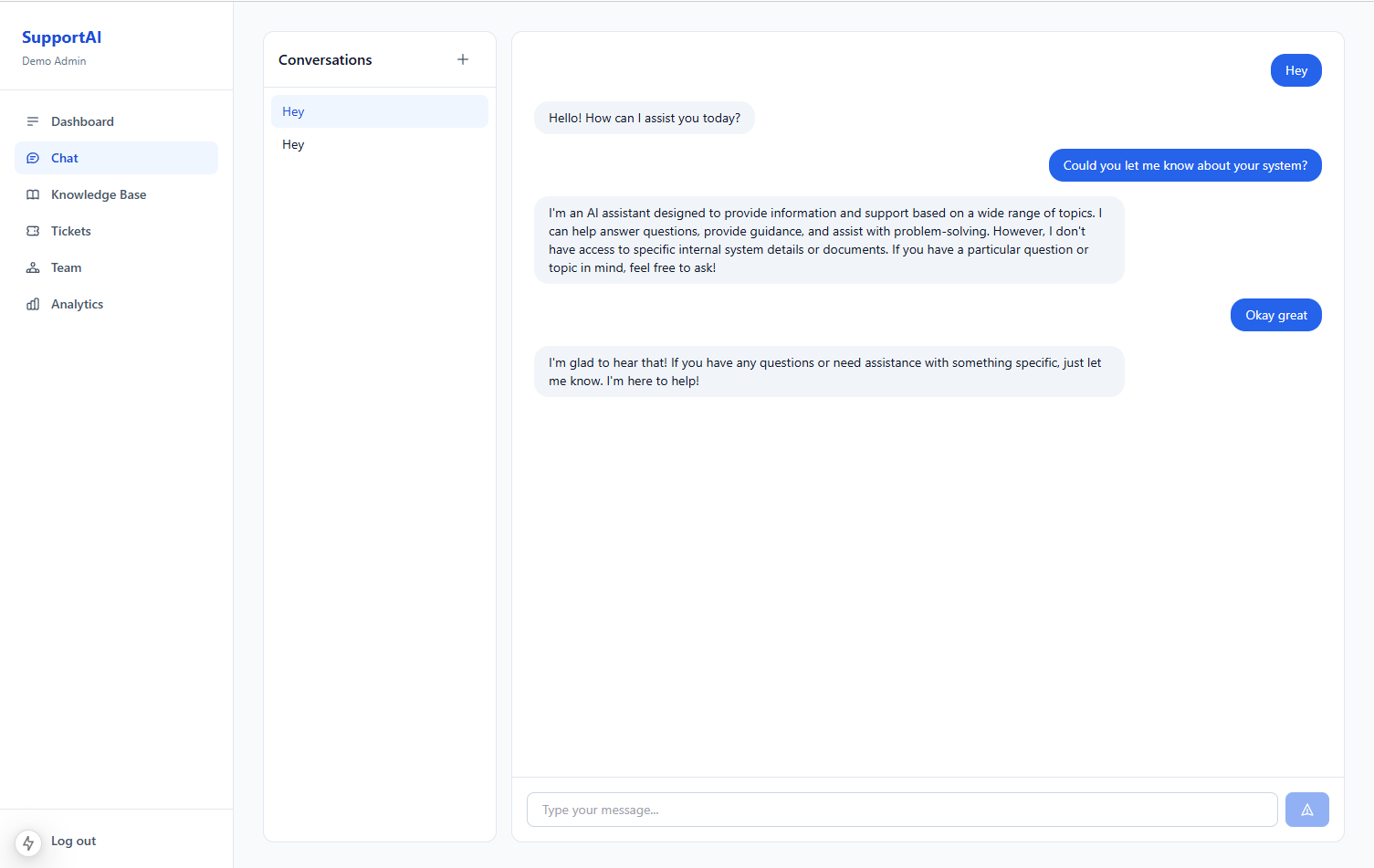
1. AI chat interface
The customer-facing chat is the entry point for every support interaction.
Design priorities:
- Low friction — no account required for basic questions (configurable per tenant)
- Conversation persistence — history stored in PostgreSQL, not just in browser memory
- Clear escalation affordance — "Talk to a human" always visible when AI is active
- Source grounding — answers should reflect uploaded docs and FAQs, not general web knowledge
Unlike a portfolio assistant (structured CMS context), a support platform needs document retrieval because knowledge lives in PDFs, help articles, and internal wikis.
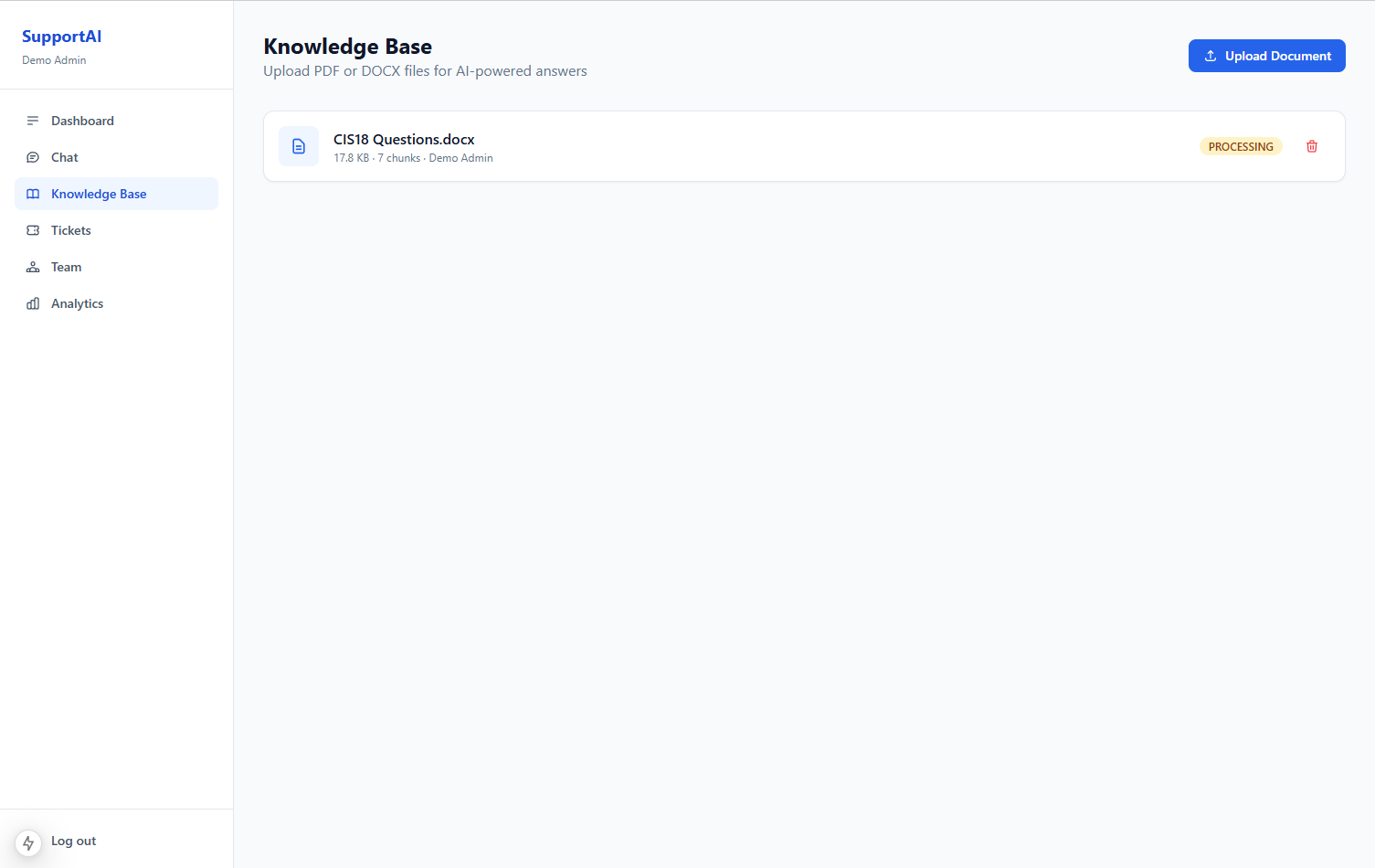
2. Knowledge base and document management
Admins upload company documentation that the AI uses as grounding context.
What the upload flow handles:
- Document storage and metadata (title, category, last updated)
- Text extraction from common formats
- Chunking for retrieval (split long docs into searchable segments)
- Version awareness — stale docs are a top cause of wrong AI answers
Lesson learned: The upload UI is not a nice-to-have. If updating the knowledge base is hard, teams stop doing it and the bot degrades silently.
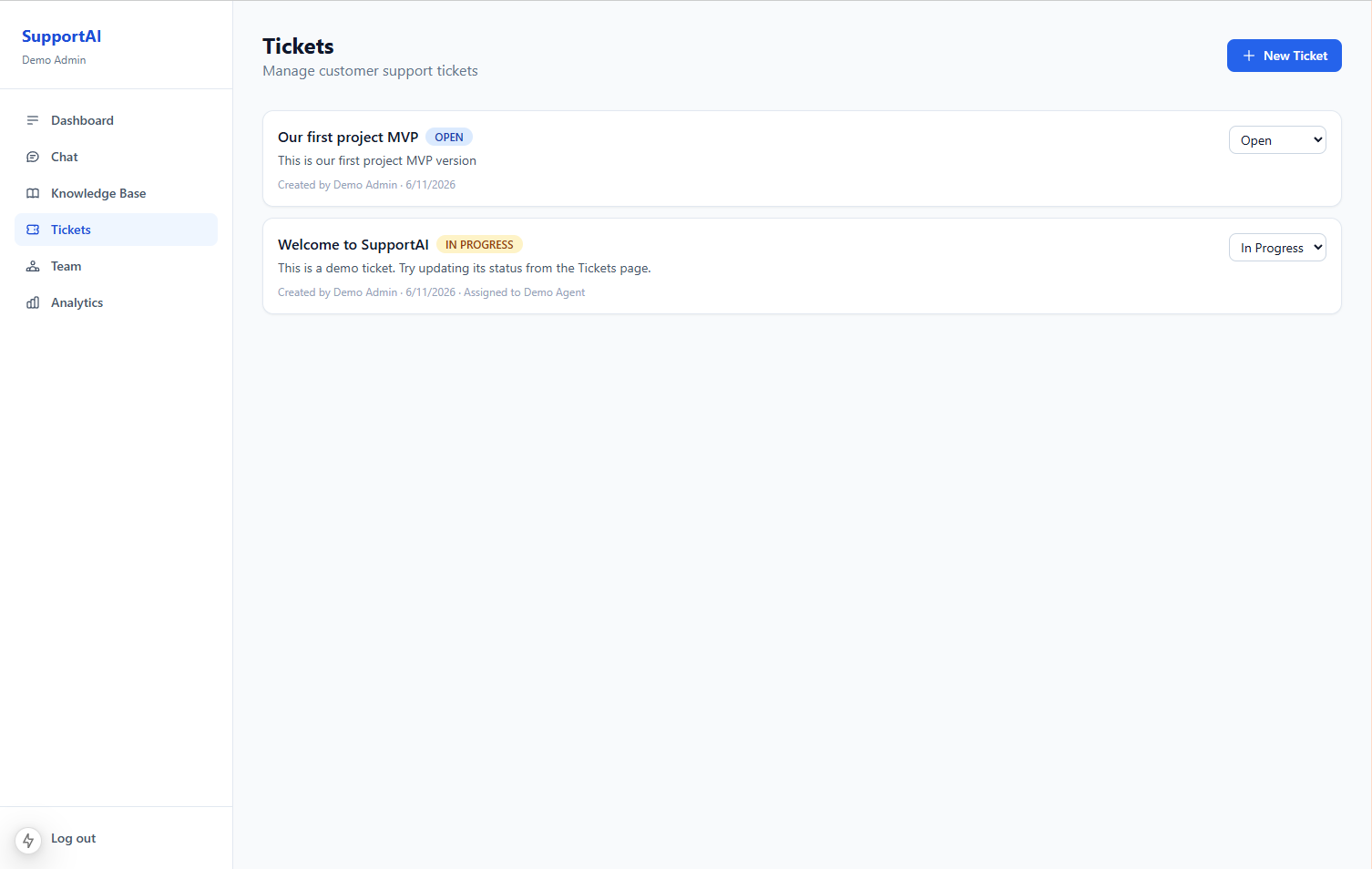
3. Ticket creation and escalation workflow
When the AI cannot resolve an issue — or the customer asks for a human — the conversation promotes to a support ticket.
Customer message
Chat UI
AI attempt
Grounded reply
Escalation?
Rules / request
Ticket + summary
PostgreSQL
Agent inbox
Real-time handoff
Escalation triggers:
- Explicit user request ("I want to speak to someone")
- AI confidence threshold (optional — flag low-confidence replies)
- Keyword / category match (billing, legal, outage)
- Repeated failed resolution on the same topic
Ticket payload includes:
- Full conversation transcript
- Customer identity (if authenticated)
- AI summary of the issue (generated at escalation time)
- Priority and category tags
Agents start with context instead of asking "can you describe your problem again?"
4. Real-time messaging for agents
After escalation, agents work in a live messaging interface — not a static ticket queue with email-style replies.
Redis supports:
- Active session tracking
- Pub/sub or similar pattern for near-real-time message delivery
- Short-lived cache for "who is online" agent status
PostgreSQL remains the source of truth for message history; Redis handles the hot path.
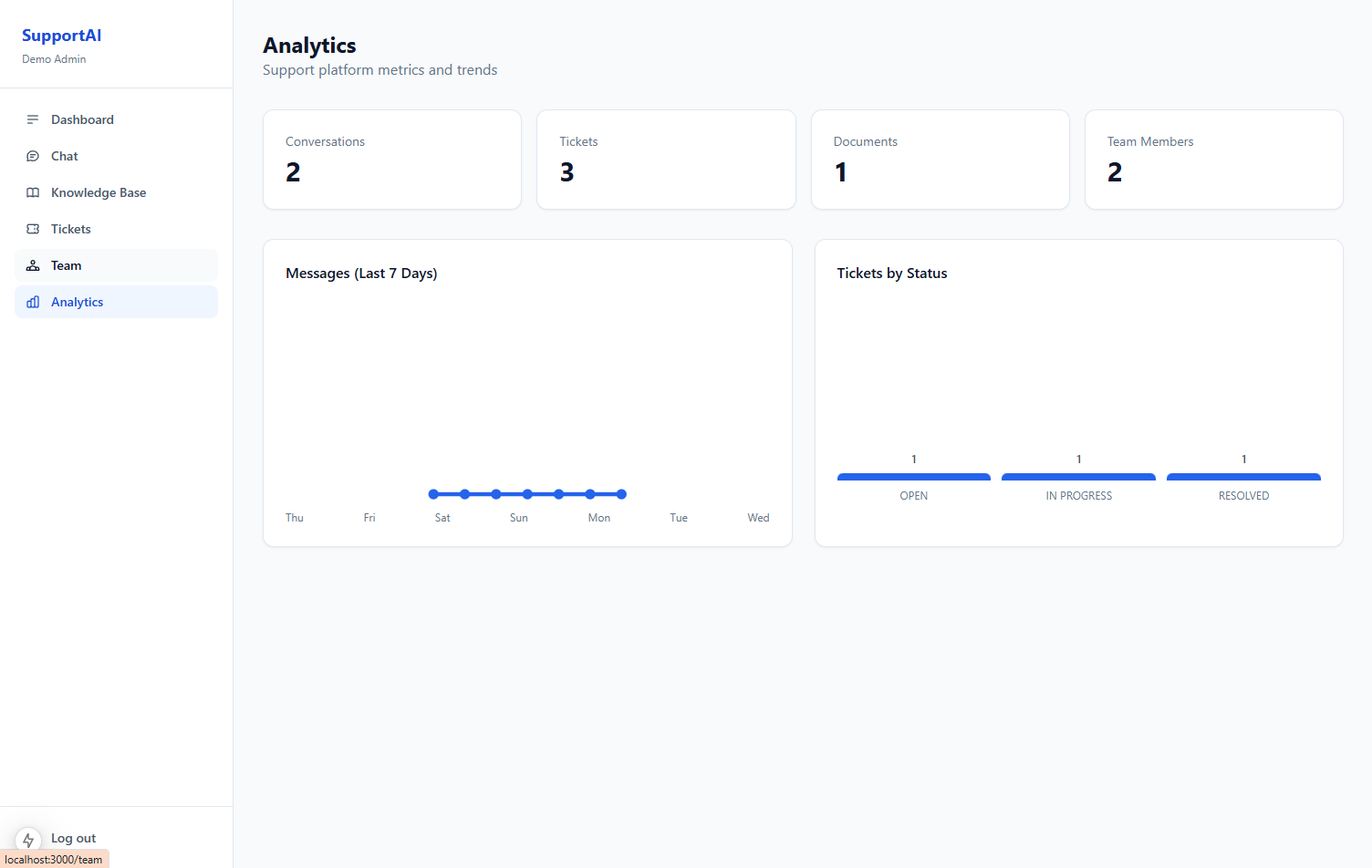
5. Admin dashboard, analytics, and team management
Operations need visibility, not just chat:
- Volume metrics — conversations started, AI-resolved vs escalated
- Resolution rate — % handled without human intervention
- Response times — first reply, time to escalation, time to close
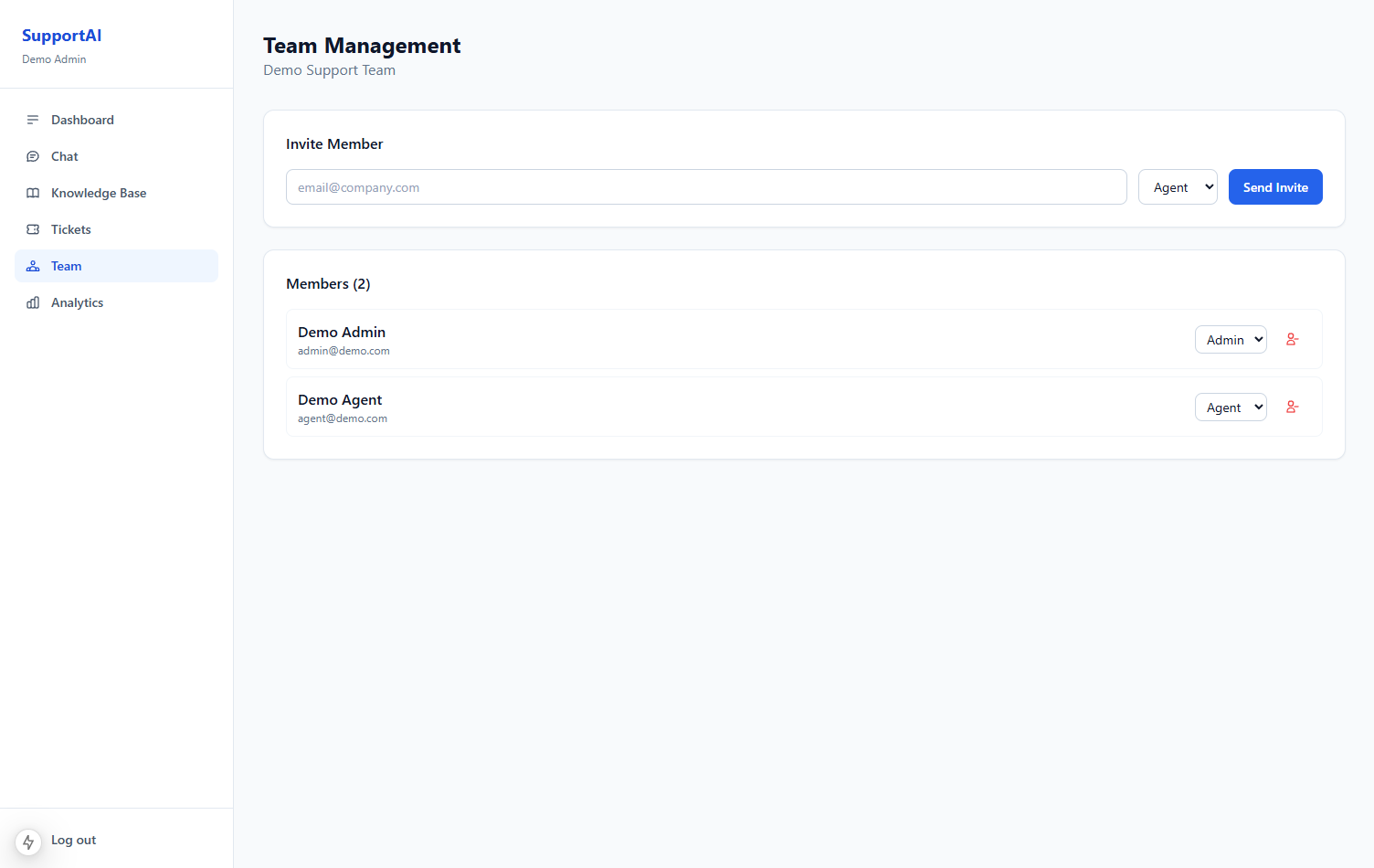
- Team management — roles (admin, agent, viewer), permissions, assignment rules
Role-based access is non-negotiable in multi-tenant SaaS: agents should not see billing settings; admins should not need to impersonate customers to read logs.
Data model (conceptual)
A simplified schema that supports the workflows above:
Users and roles
users id, email, role (admin | agent | customer), tenant_id, created_at
tenants id, name, plan, settings (jsonb)
Multi-tenant from day one — even if v1 only serves one client, the schema should not require a migration later.
Conversations and messages
conversations id, tenant_id, customer_id, status (ai | escalated | closed), created_at
messages id, conversation_id, role (user | assistant | agent), content, created_at
status drives UI state: AI mode shows the bot; escalated mode routes to agent inbox.
Knowledge base
documents id, tenant_id, title, file_url, status (processing | ready | error), updated_at
document_chunks id, document_id, content, embedding (optional), chunk_index
If using vector search: store embeddings per chunk. If using simpler retrieval: full-text search on content may suffice for smaller bases.
Tickets
tickets id, conversation_id, assigned_agent_id, priority, category, status, ai_summary, created_at
Link tickets to conversations — never duplicate the transcript in a separate silo.
AI pipeline: from question to grounded answer
When a customer sends a message, the API runs a pipeline like this:
1Load history
PostgreSQL
2Retrieve chunks
Knowledge base
3Build prompt
Policies + context
4Call OpenAI
Chat completion
5Save reply
PostgreSQL
6Check escalation
Rules + signals
7Return response
Customer chat
System prompt principles for support (not portfolio)
| Rule | Why |
|---|---|
| Answer only from provided context | Prevents policy hallucinations |
| Cite when possible ("According to our refund policy…") | Builds customer trust |
| Escalate on billing, legal, abuse | Risk categories should never be AI-only |
| Never promise refunds/compensation unless in docs | Liability protection |
| Keep replies concise | Support chat is not an essay |
Model and cost choices
- Default model: cost-efficient tier (e.g.
gpt-4o-mini) for high-volume first-line support - Upgrade path: larger model for complex escalations or AI-generated ticket summaries
- Token budgeting: cap retrieved context size; truncate history to last 10–20 messages
- Caching: identical FAQ questions can hit Redis cache for 5–15 minutes
RAG vs. full-context: what this project needed
My portfolio assistant uses structured CMS context — no vector DB.
A customer support platform is different:
| Factor | Portfolio assistant | Support platform |
|---|---|---|
| Data shape | Structured (projects, services) | Unstructured (PDFs, long help articles) |
| Volume | Dozens of records | Hundreds/thousands of document chunks |
| Update frequency | Admin edits CMS | Docs uploaded weekly |
| Wrong answer cost | Embarrassing | Refund disputes, churn, legal risk |
This project needed retrieval — search relevant chunks before each reply, not stuff every document into the system prompt.
Practical RAG stack options:
- PostgreSQL full-text search — good for MVP, no extra infra
- pgvector in PostgreSQL — embeddings in the same DB you already run
- Dedicated vector DB — worth it at very large scale; overkill for most SMB support bases
Start with (1) or (2). Add (3) when chunk count or query latency forces it.
Escalation: the feature clients care about most
AI resolution rate is a vanity metric if escalation feels broken.
What "good escalation" looks like:
- One click — customer never hunts for a contact form
- No context loss — agent sees every AI message
- AI summary — 2–3 sentence briefing generated at handoff
- SLA visibility — ticket enters queue with priority and timestamp
- Closed loop — when agent resolves, conversation status updates; customer gets confirmation
Bad escalation — "Please email support@…" after a 10-message AI thread — destroys the ROI of the bot.
Security and multi-tenancy basics
Production support platforms handle sensitive data. Minimum bar:
- Tenant isolation — every query scoped by
tenant_id - Auth on admin/agent routes — JWT or session with role checks
- Input sanitization on public chat endpoints (message length, rate limits)
- Document access control — tenant A's uploads never appear in tenant B's retrieval
- Audit logging — who viewed/exported conversation data
- Secrets in env — OpenAI keys per environment, never in client bundles
Deployment on AWS with Docker
Typical container layout:
| Container | Role |
|---|---|
web | Next.js frontend |
api | Node.js API |
postgres | Primary database (or RDS managed) |
redis | Cache and real-time |
worker (optional) | Async doc processing, embedding jobs |
Document processing (PDF extract → chunk → embed) belongs in a background worker, not the request path — uploads should return quickly with status: processing.
Results and what changed for the client
After deployment, the platform enabled:
- Higher throughput — common questions resolved without agent time
- Faster first response — AI replies in seconds, 24/7
- Agent focus — humans handle disputes, bugs, and edge cases only
- Measurable ops — analytics show where knowledge base gaps exist
The win is operational: support scales sub-linearly with customer growth.
Trade-offs and honest limitations
What v1 intentionally did not solve:
- Voice / phone channel — text chat only
- Multi-language — English-first; i18n is a layer on top
- Automatic ticket routing ML — simple round-robin or manual assignment first
- Deep CRM integration — Salesforce/HubSpot connectors are phase 2
- Fine-tuned models — prompt + RAG was sufficient; fine-tuning adds ops burden
Key takeaways
- Support AI is a product problem, not an API call — escalation, roles, and analytics matter as much as the model
- Knowledge base UX determines bot quality — if updates are painful, accuracy decays
- Use RAG when docs are unstructured — structured CMS context is not enough here
- PostgreSQL + Redis covers most SaaS needs before adding exotic infra
- Measure AI-resolved vs escalated — that ratio tells you whether to improve docs, prompts, or staffing
Explore the project
- Case study with screenshots: /projects/ai-customer-support
- Related reading: How I Built an AI Portfolio Assistant
Building an AI support layer for your product? Get in touch or find me on Upwork.